Your streams, on the big screen.

POV Rajput is a free, open-source app for Android TV and phones. Stream from your debrid cloud, Easynews and Stremio add-ons in a cinematic interface, with WeTrakr or Simkl tracking and a fast player built for the remote.

Latest version from GitHub. Android 8.0 or later.

Everything in one app

No Kodi, no ads, no tracking. Every key you enter stays encrypted on your device.

Flix interface

A living backdrop that follows your focus, title logos, a rotating feature and numbered Top 10 shelves. Smooth even on modest TV boxes.

Debrid and Easynews

Offcloud, TorBox, Real-Debrid, AllDebrid, Premiumize and Debrid-Link, with your own order and on/off switches. Easynews over parallel connections.

Your add-ons

Add Stremio stream add-ons and catalog add-ons such as AIOMetadata, and arrange every Home row the way you like.

Play that just works

Play checks every source and your debrid caches at once, starts the best link and resumes where you left off.

A player for the remote

Precise seeking, seek previews, skip intro, recap and credits, Next Episode, a Streams panel to switch links, and Dolby and DTS audio.

WeTrakr or Simkl

Continue Watching, watchlists, Up Next and scrobbling with your own tracking account.

Encrypted backup

A free POV account backs up your whole setup. Sign in on any TV or phone and it all comes back.

Open source

GPL-3.0. Every line of the app and its backup server is on GitHub.

Made for the TV

Captured on an onn 4K box. Every link, file and watch progress here is a made-up example; the catalogs, artwork and cast are real.

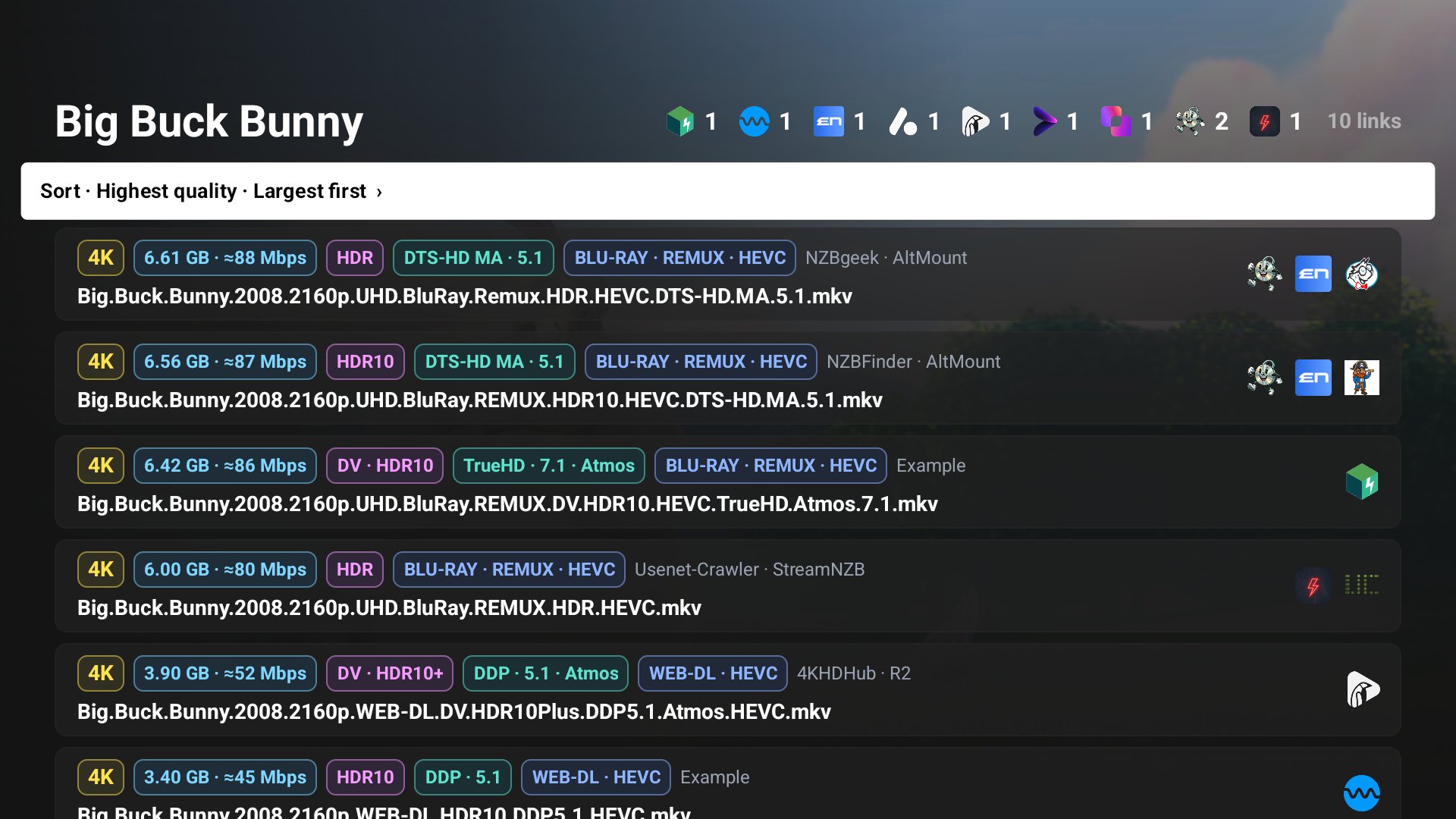
Link list with service and add-on logos, quality, size and bitrate badges
Every service and add-on shows its own logo
Player controls with 4K, size, WEB-DL, HEVC, Dolby Vision and HDR10+ badges
Player badges: quality, size, source and codec
Player badges for HEVC, Dolby Vision and HDR10+
Dolby Vision and HDR10+
Player badges for Atmos, TrueHD and 7.1
Atmos, TrueHD and 7.1
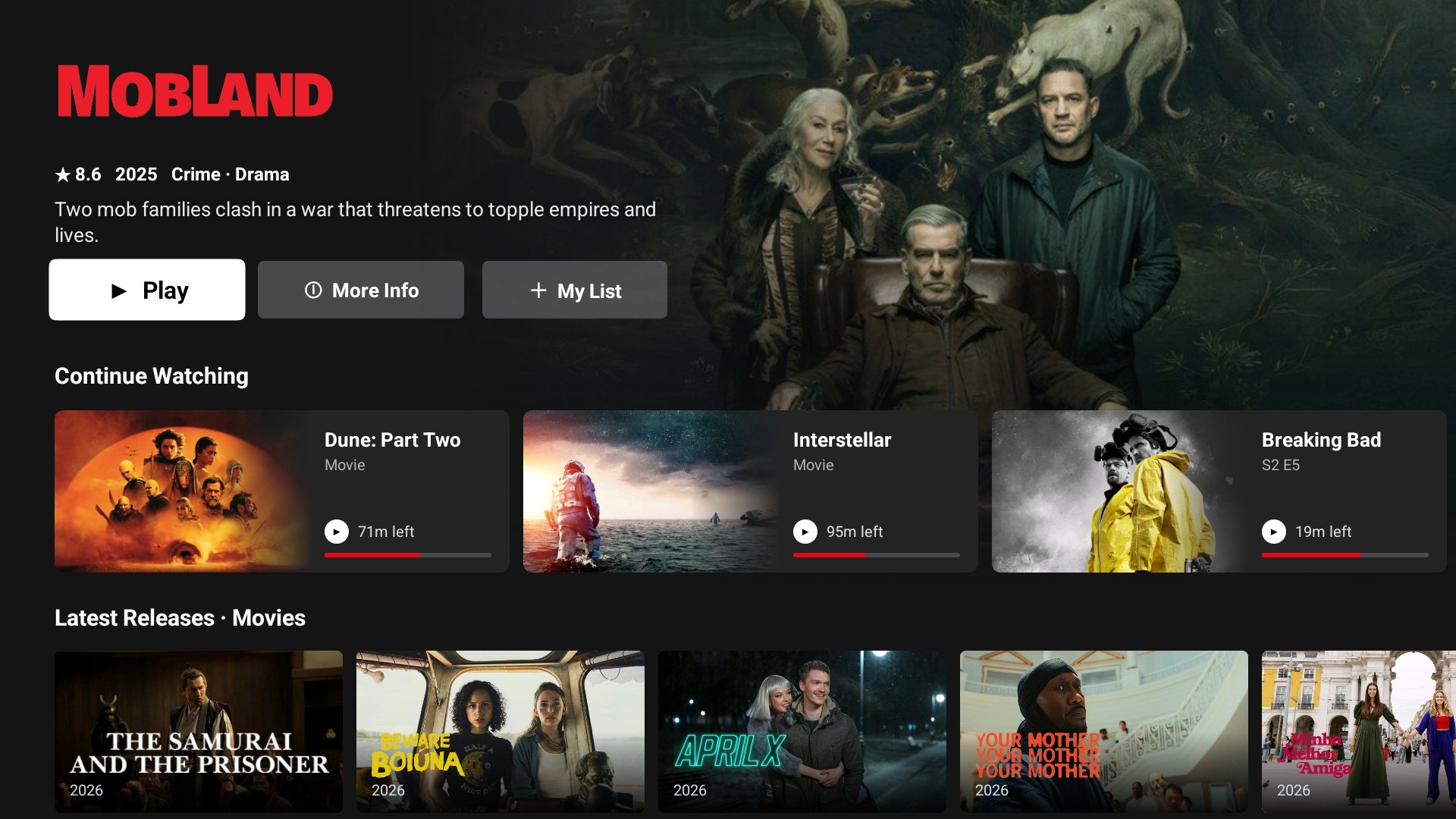
Home with Continue Watching cards
Continue Watching
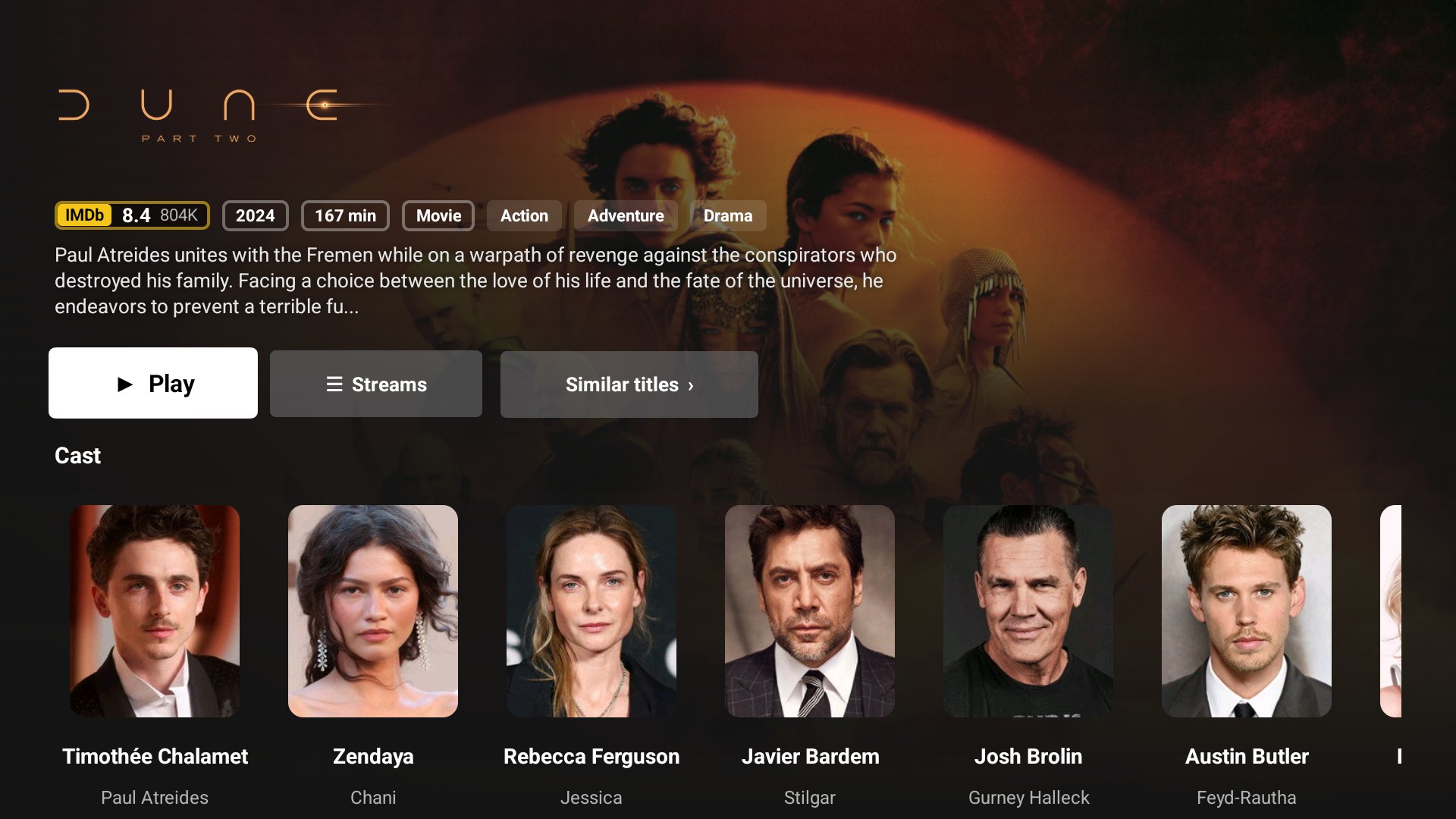
Movie details with cast
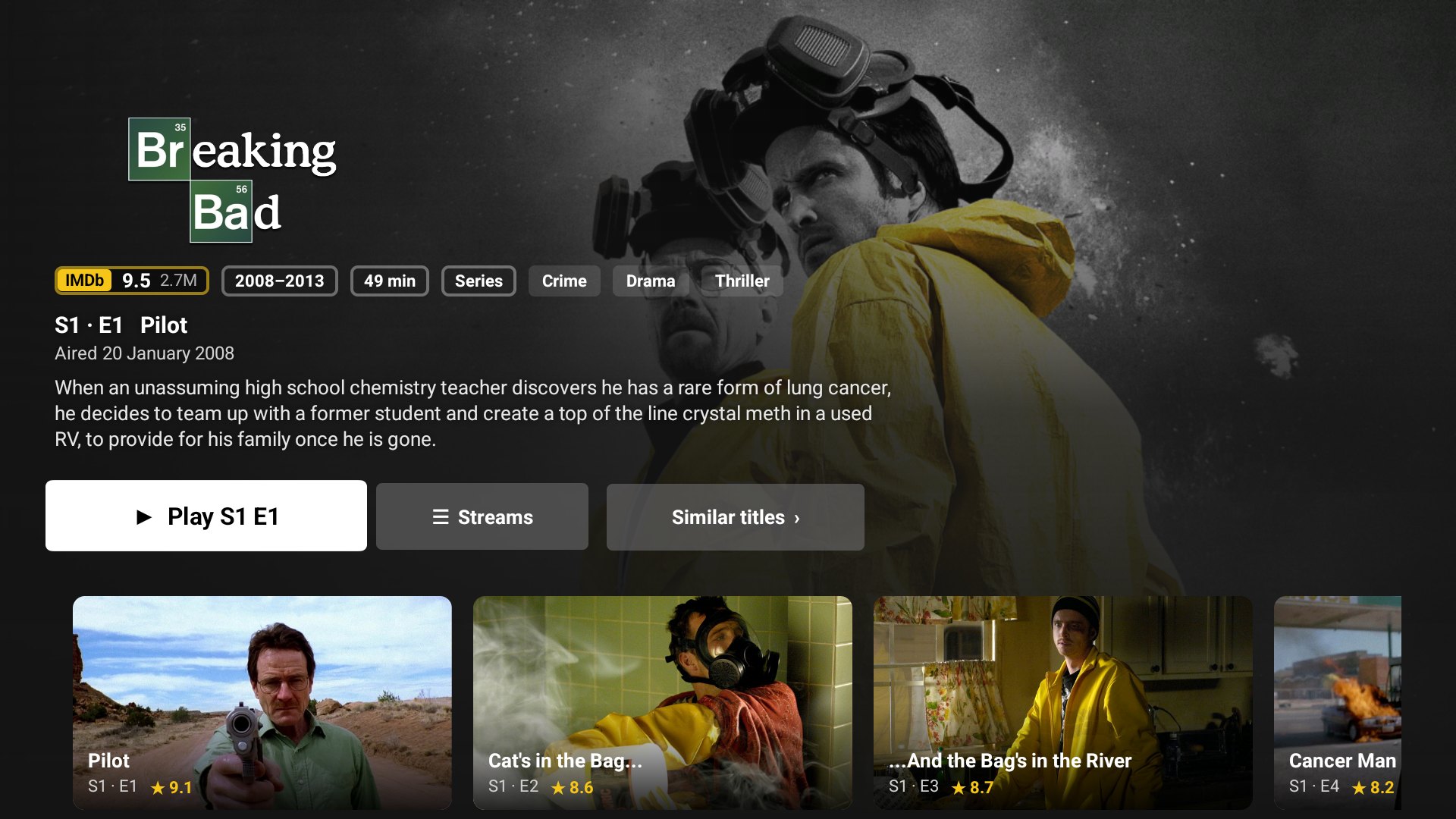
Show details with episodes
Show details and episodes
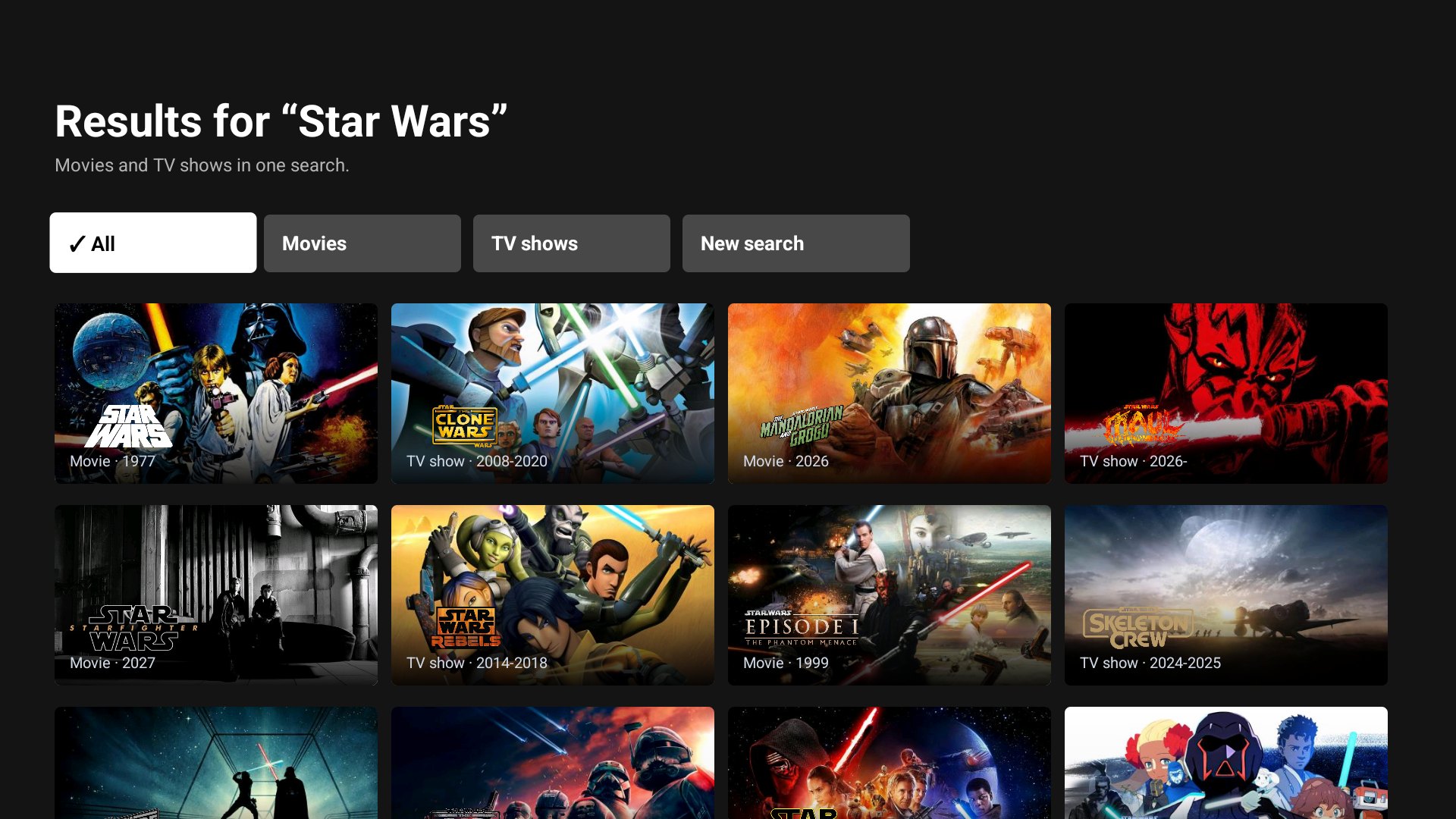
Search results
Movies and shows in one search
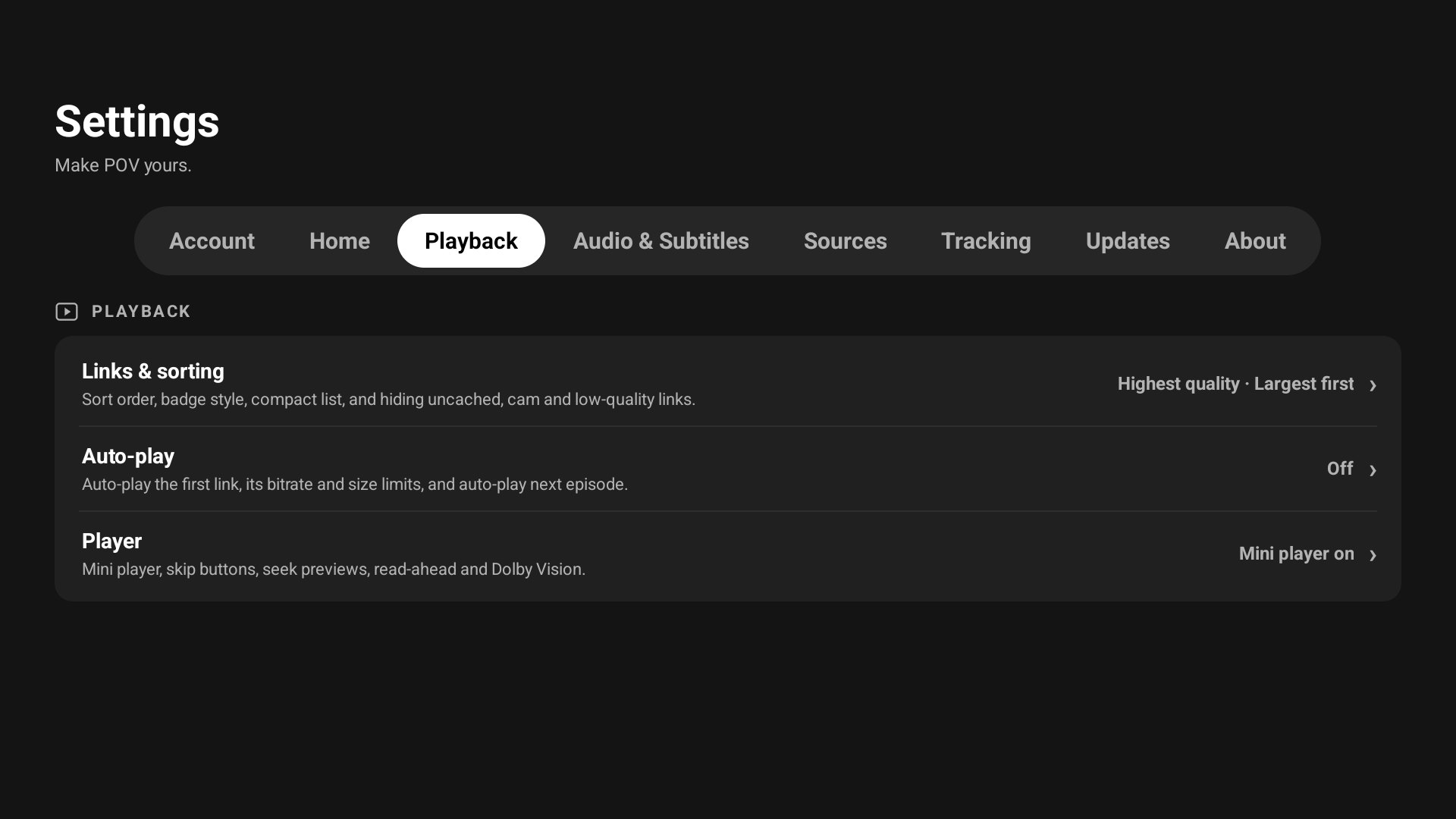
Settings with section tabs
Settings

And on your phone

The same app for Android phones, with a bottom bar and touch controls. Install POV-Rajput-Mobile.apk.

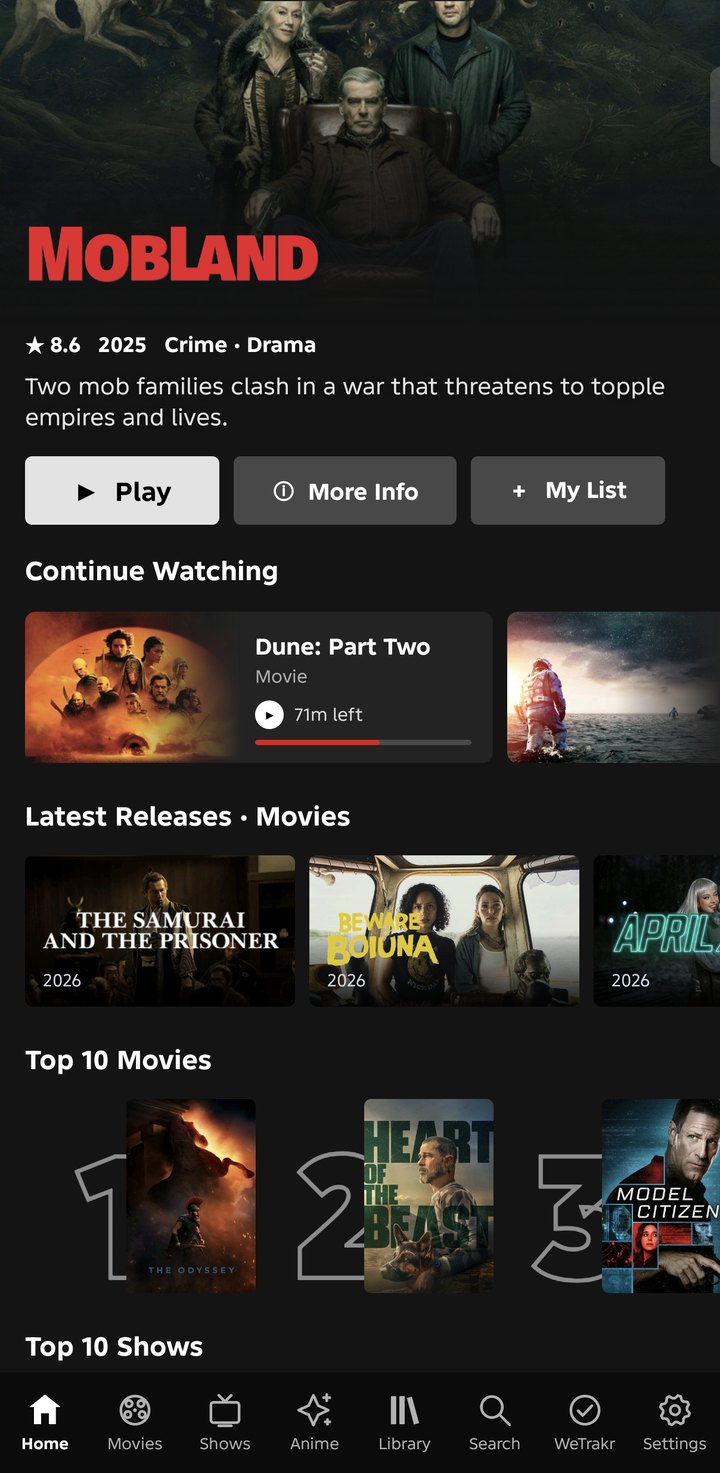
Phone home with Continue Watching
Home
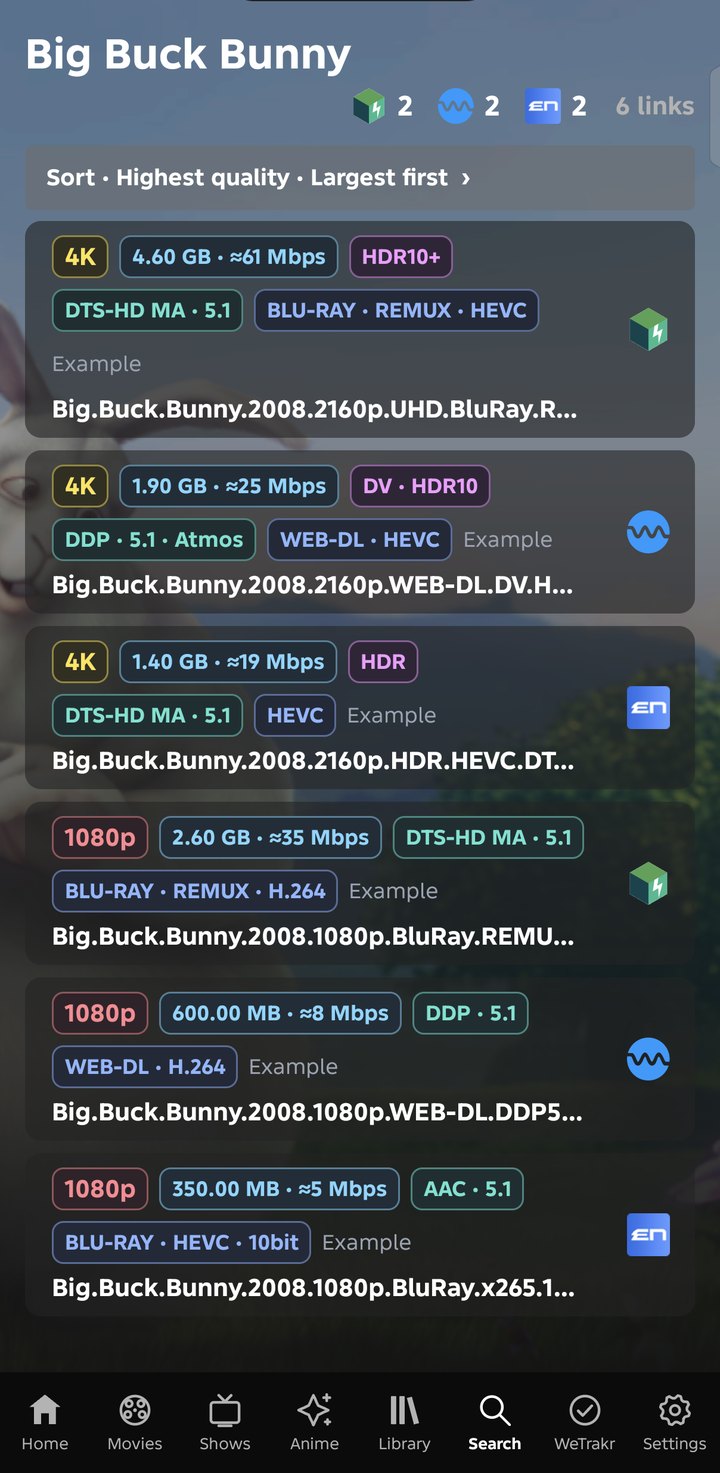
Phone link list with logos and badges
Links
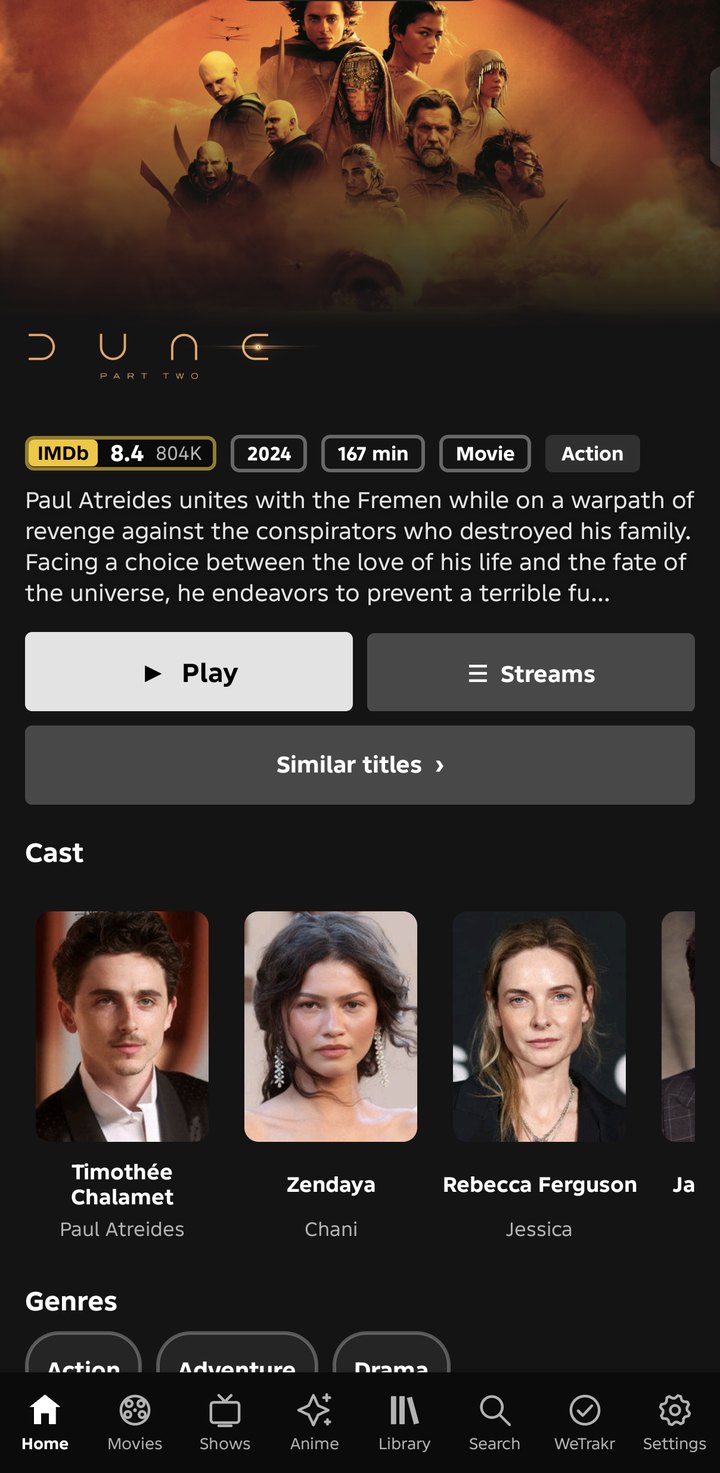
Phone movie details with cast
Movie details
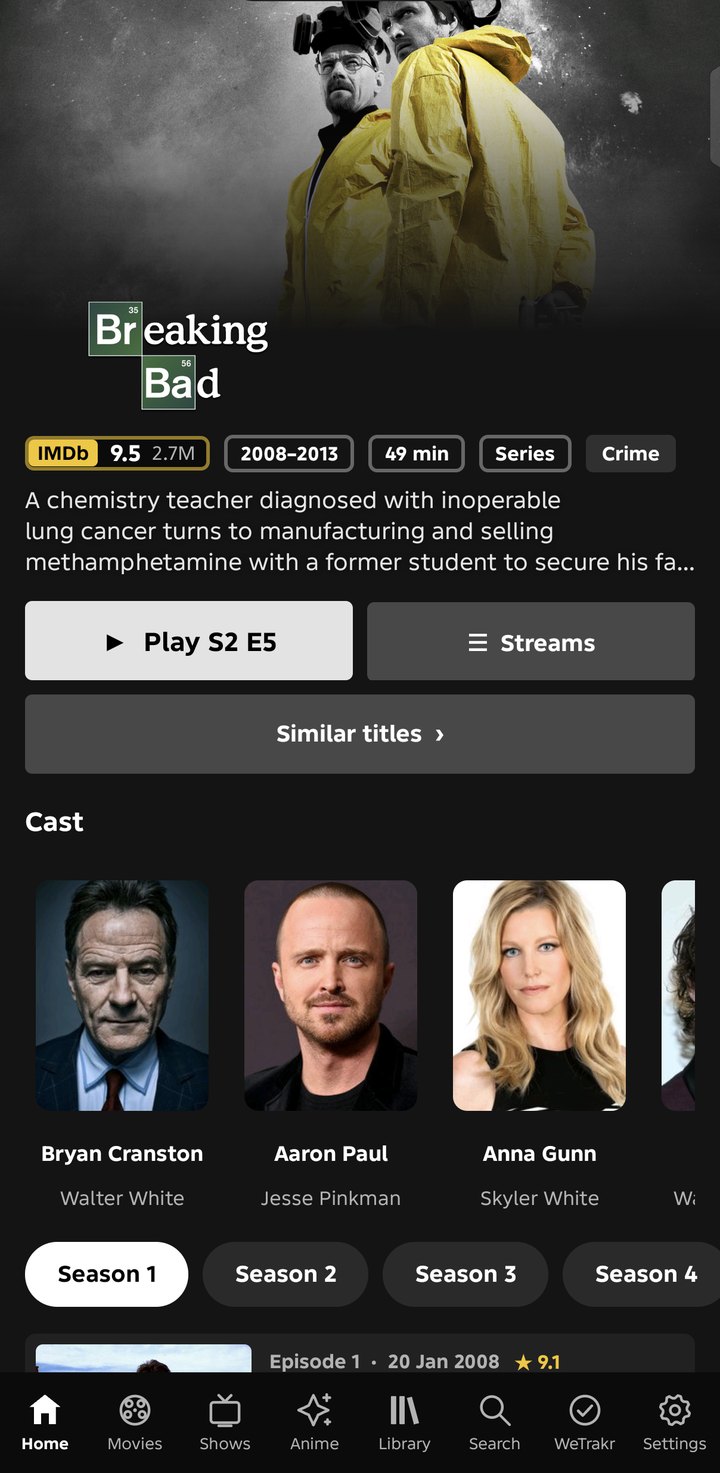
Phone show details with cast
Show details
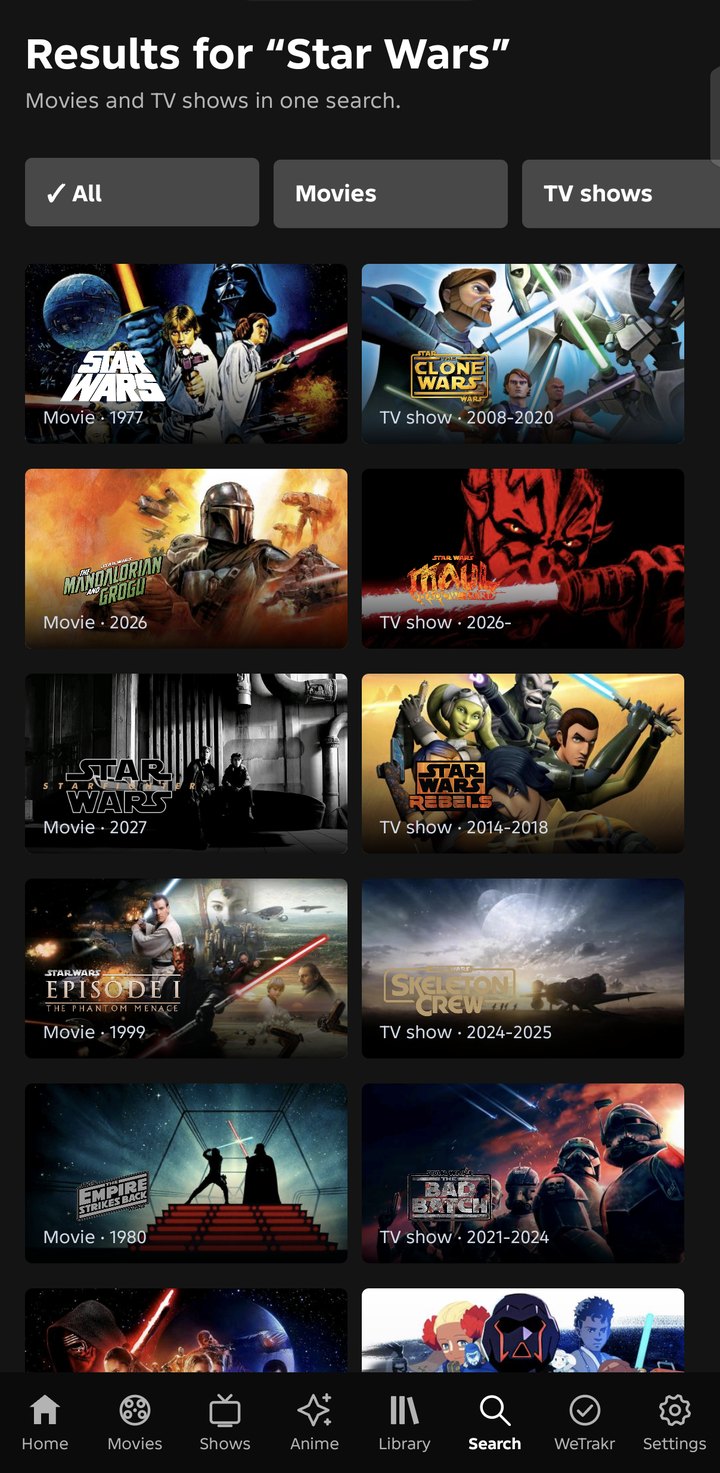
Phone search results
Search
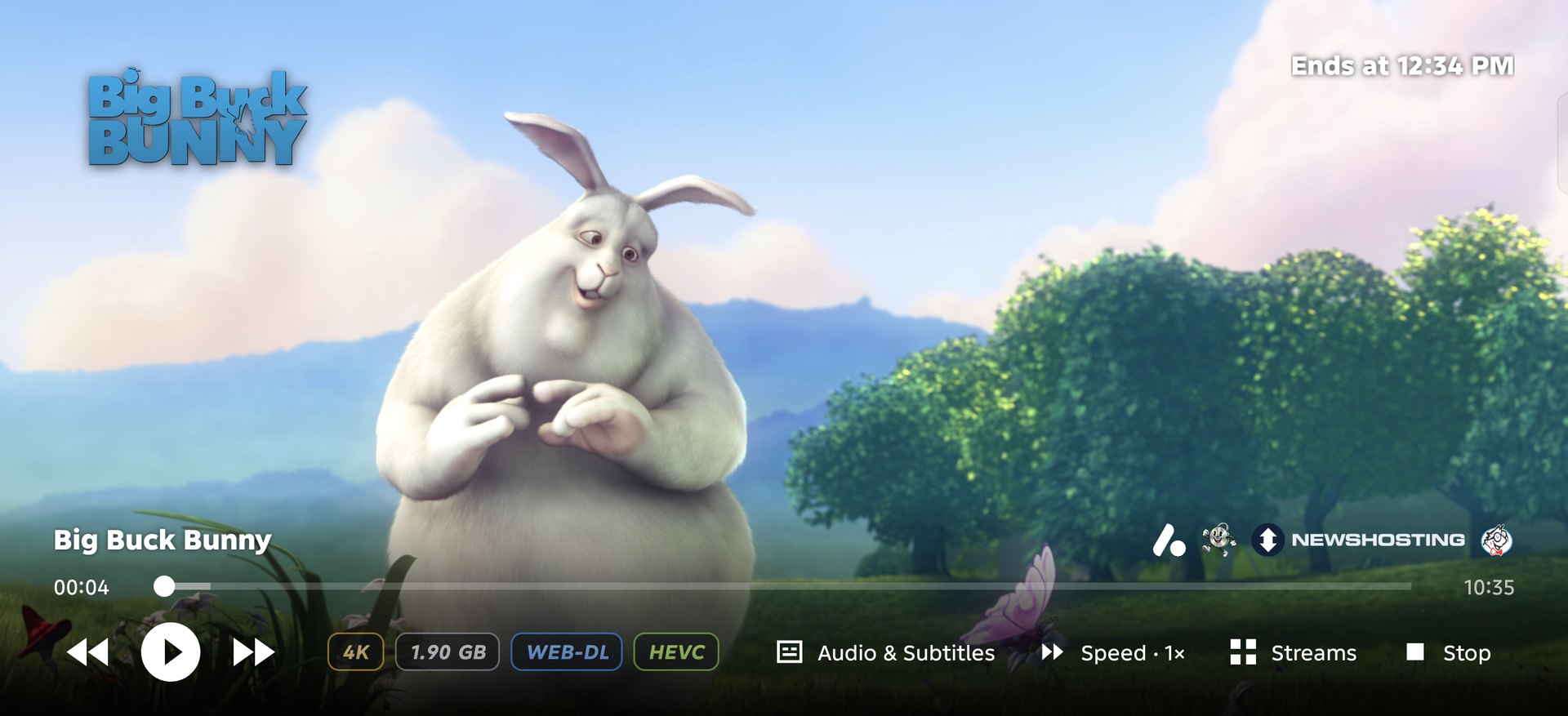
Phone player in landscape with logos and badges
The player on a phone

Install

POV Rajput isn't on the Play Store, so you install it yourself. It takes a couple of minutes.

Android TV, Google TV and Fire TV

  1. Install the free Downloader app (by AFTVnews) from your TV's app store.
  2. Open Downloader and type pov.rajput.cc/tv, then press Go.
  3. When Android asks, allow Downloader to install unknown apps, then press Install.
  4. Open POV Rajput. Connect your debrid services and add-ons in Settings, or sign in to your POV account to bring your setup back.

Phone

  1. On your phone, open pov.rajput.cc/phone to download the app.
  2. Open the downloaded file. Allow your browser to install unknown apps if asked.
  3. Press Install and open POV Rajput.

Updates: Settings → Updates → Check for updates installs new versions and keeps your accounts and settings.

Your account, only yours

Create a free POV account in Settings → Account and your setup is backed up whenever you leave the app. Debrid keys, add-ons and logins are encrypted on your device with your password before they are sent, so the server can't open them.

WhatWho can open it
Debrid services, add-ons, TMDB / Easynews / Seekr / Wyzie keys, WeTrakr and Simkl loginsOnly you, with your password or recovery key
Home rows, preferences, local watch progressEncrypted with a key the server keeps, so a password reset by email can bring them back
Your email addressKept only to send sign-up and password-reset codes
Your password and recovery keyNever sent anywhere

Forgot your password? Reset it with an email code. With your recovery key everything comes back; without it, your settings do. Read the privacy policy or the backup server's source.

What's new

The latest release notes, straight from GitHub.

Help and feedback

Something not working, or an idea to make POV better? No account needed. Your email is optional, only if you'd like a reply. Or come chat, get help and hear about new releases first on Discord.